iOS Toolbox


Filza is Great, But These 5 Apps Make It Even Better on Non-Jailbroken Devices

If you have already explored our website, you probably know that Filza File Manager is a game-changer for iPhone users. Just as we discussed the endless debate between Android’s open nature and iOS’s security, Filza is the bridge that brings freedom to your Apple device. However, downloading Filza is just the first step.

In the world of non-jailbroken devices, Filza works best when accompanied by a reliable ecosystem of tools. Whether you want to avoid revokes, install IPA files more easily, or manage your developer certificates, certain apps are essential. Below, we have gathered the top companion tools that every Filza user should have on their radar.

1. Feather – The Most User-Friendly IPA Signer
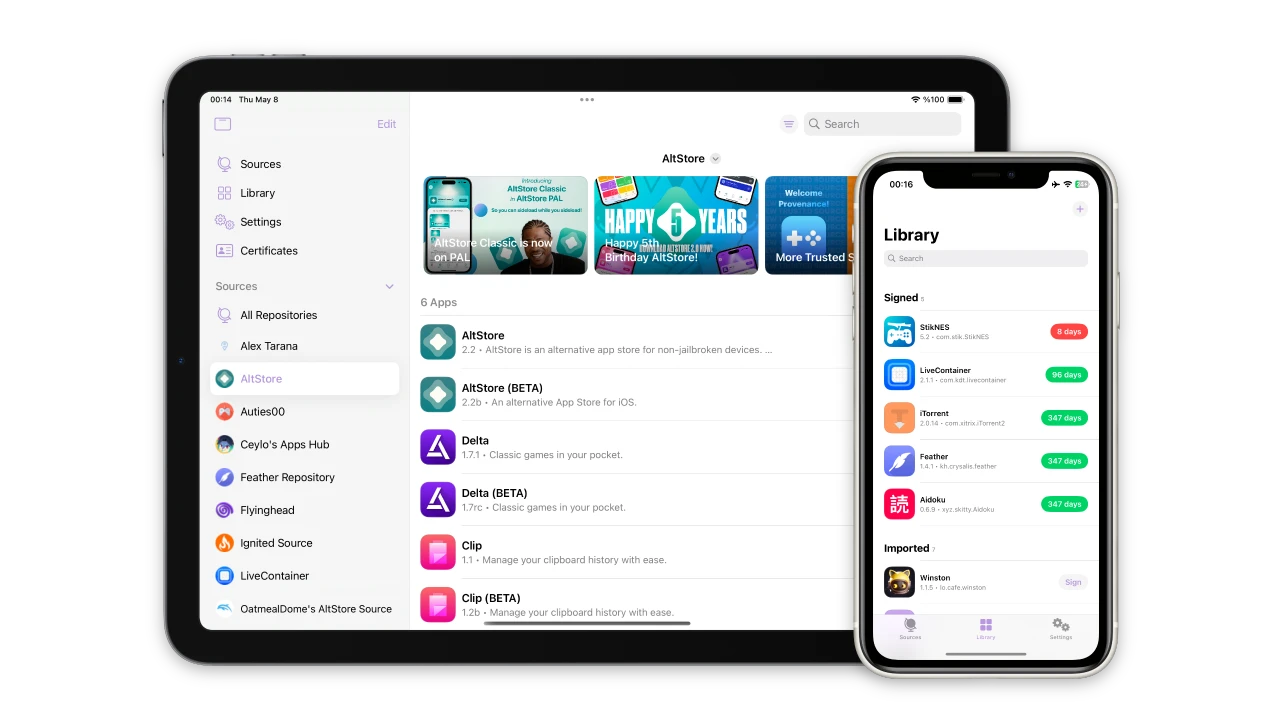
Feather app interface for iOS sideloading

While Filza allows you to manage files, Feather is what helps you keep Filza and other third-party apps alive on your device. Feather is an open-source “sideloader” that allows you to sign and install IPA files directly on your iPhone without needing a computer every time.

Why is it a perfect match for Filza? Because you can use Feather to install the Filza IPA file and manage your own certificates. It’s fast, lightweight, and specifically designed for the modern iOS environment. If you’re tired of complex setups, Feather is the solution you’ve been looking for.

2. AltStore – The Reliable Foundation

AltStore is perhaps the most famous name in the world of non-jailbreak tools. It uses your Apple ID to sign apps for 7 days. For Filza users, AltStore acts as a safety net. If you don’t have a paid developer certificate, AltStore will ensure your file manager is automatically resigned over Wi-Fi, so you never lose access to your documents.

3. Scarlet – Instant Direct Installs

If you are looking for the “Android-like” experience of downloading an app directly from a browser and installing it immediately, Scarlet is the tool for you. It’s an impressive alternative for users who want to grab the latest Filza version while on the go without connecting to a PC.

4. SideStore – Sideloading Without Boundaries

SideStore is a unique fork of AltStore that allows you to sign apps anywhere as long as you are connected to a Wi-Fi network. It removes the necessity of having a computer running “AltServer” in the background. It is a great companion for Filza users who travel frequently and need their tools to stay functional.

5. TrollStore (For Compatible iOS Versions)

We cannot talk about iOS utilities without mentioning TrollStore. If your device version is compatible, TrollStore allows “permanent” installation of apps. When you install Filza via TrollStore, it gains even more permissions, allowing you to access folders that are usually restricted in the standard “FilzaJailed” version.

Conclusion

Filza File Manager has definitely filled the gap that Apple left for power users. But to truly unlock the potential of your iPhone or iPad, using these companion apps is the smartest move. Each tool serves a different purpose—whether it’s the ease of Feather or the reliability of AltStore.

We recommend starting with a proper sideloading tool to ensure your Filza app remains stable. To get started with the best modern installer, visit our dedicated download page for Feather below.

Still have questions about which tool fits your iOS version? Feel free to leave a comment in the box below, and our team will be happy to help you find the best solution for your device!

Feather Download for iOS: The Best Way to Install IPA Files

In the evolving world of iOS, managing your apps should be as easy as it is on Android. While Apple’s ecosystem is known for its “walled garden,” tools like Feather have emerged to give users back their control. If you are a fan of Filza File Manager, Feather is the perfect companion to ensure your apps are always signed and ready to use.

Feather app interface for iOS sideloading

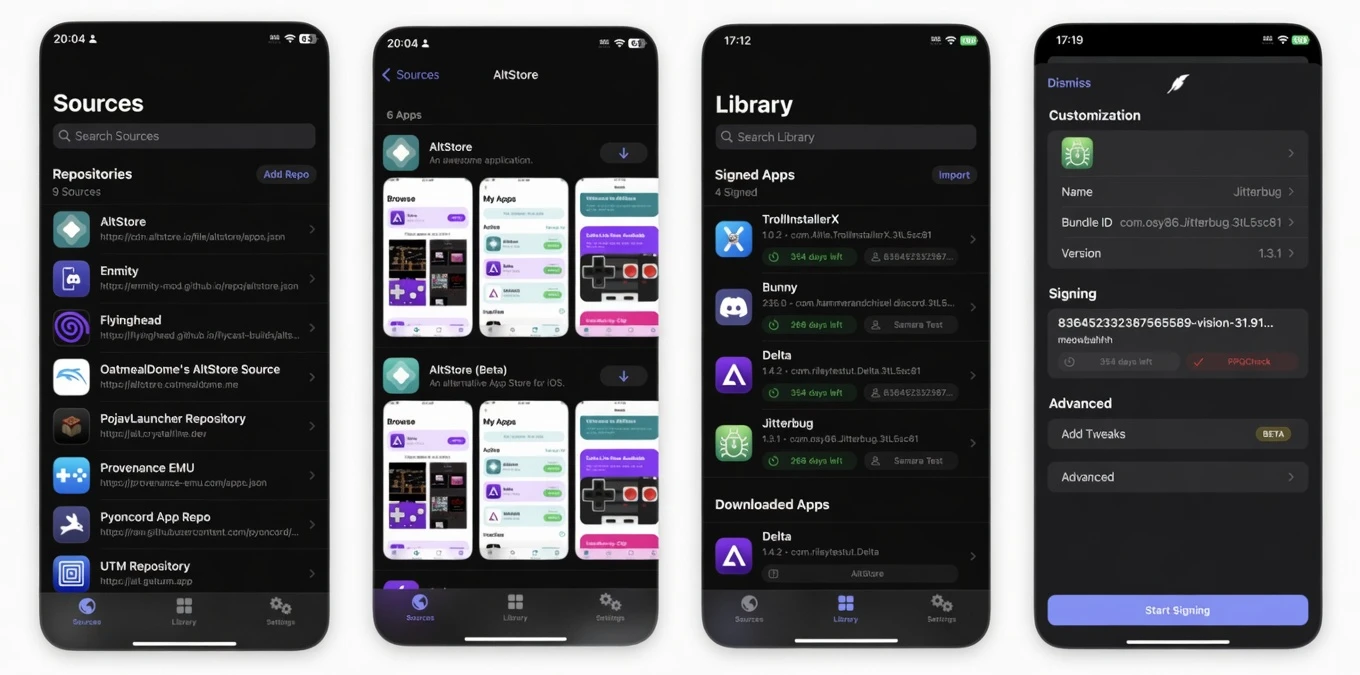
Feather is a free, open-source on-device IPA signer and manager. It allows you to sign apps using your own developer certificates directly on your iPhone or iPad, eliminating the constant need for a computer. Once you download Feather, you will realize it is the missing piece in your iOS customization toolkit.

Why Choose Feather for Your iOS Device?

Just like Filza changed the way we look at file management, Feather is changing how we handle app installations. Here are the standout features you can expect:

  • No Computer Needed: Sign and install IPA files (like Filza) directly on your device.
  • Open Source: Transparent and community-driven, ensuring better security and privacy.
  • Tweak Injection: Support for injecting .deb or .dylib files into your apps during the signing process.
  • Repository Support: Easily add AltStore-style repos to browse and update apps.
  • Certificate Management: Effortlessly manage your .p12 and .mobileprovision files in one place.

Latest Version: v2.0 (Stable)

Download Feather IPA (12,1 MB)

How To Install Feather on iOS

Since Feather is a third-party utility not available on the official App Store, the installation process requires a few simple steps. Please follow this guide to get started:

Step 1: Open Safari on your iPhone or iPad.

Step 2: Tap the Download Feather IPA button above to get the latest version of the installer.

Step 3: To install Feather initially, you may need a computer-based tool like AltStore or Sideloadly (for the very first time), or use a direct install link if available.

Step 4: Once the Feather icon appears on your home screen, go to Settings > General > VPN & Device Management.

Step 5: Find the developer profile associated with Feather and tap “Trust”.

Step 6: Open Feather and import your signing certificate (.p12 and password).

Now you are ready! You can now download the Filza IPA from our website and use Feather to sign and install it permanently on your device.

Conclusion

In the past, iOS users were heavily dependent on jailbreaking or complex PC software to manage their devices. Today, Feather Android-like simplicity to the iPhone. It is not just an app installer; it is a gateway to a more open iOS experience. By combining the file-level access of Filza with the signing capabilities of Feather, you truly become the master of your hardware.

Feather app interface for on-device IPA signing on iOS

We believe this guide makes the Feather download process crystal clear. However, if you encounter any “Unable to Verify” errors or have questions about certificates, please leave a comment below. We are happy to help you stay connected and productive!

Pro Tip: Always keep a backup of your .p12 certificate files. If you ever need to reinstall Feather, having those files ready in Filza will save you a lot of time!